How to Organize xvessel Accessory Variant Evidence
Record "Products" and "Variants" Separately First When organizing xvessel candidates, the most common mistake isn't missing a title, but treating color or size cards of the same product as multiple independent products. A more reliable approach is to split each record into two layers: the product layer identifies the same item, and the variant layer stores color, size, and evidence status. The xvessel catalog page on fashion-reps provides brand browsi
Editor score 4.2 / 5
Reading contents
Record "Products" and "Variants" Separately First
When organizing xvessel candidates, the most common mistake isn't missing a title, but treating color or size cards of the same product as multiple independent products. A more reliable approach is to split each record into two layers: the product layer identifies the same item, and the variant layer stores color, size, and evidence status.
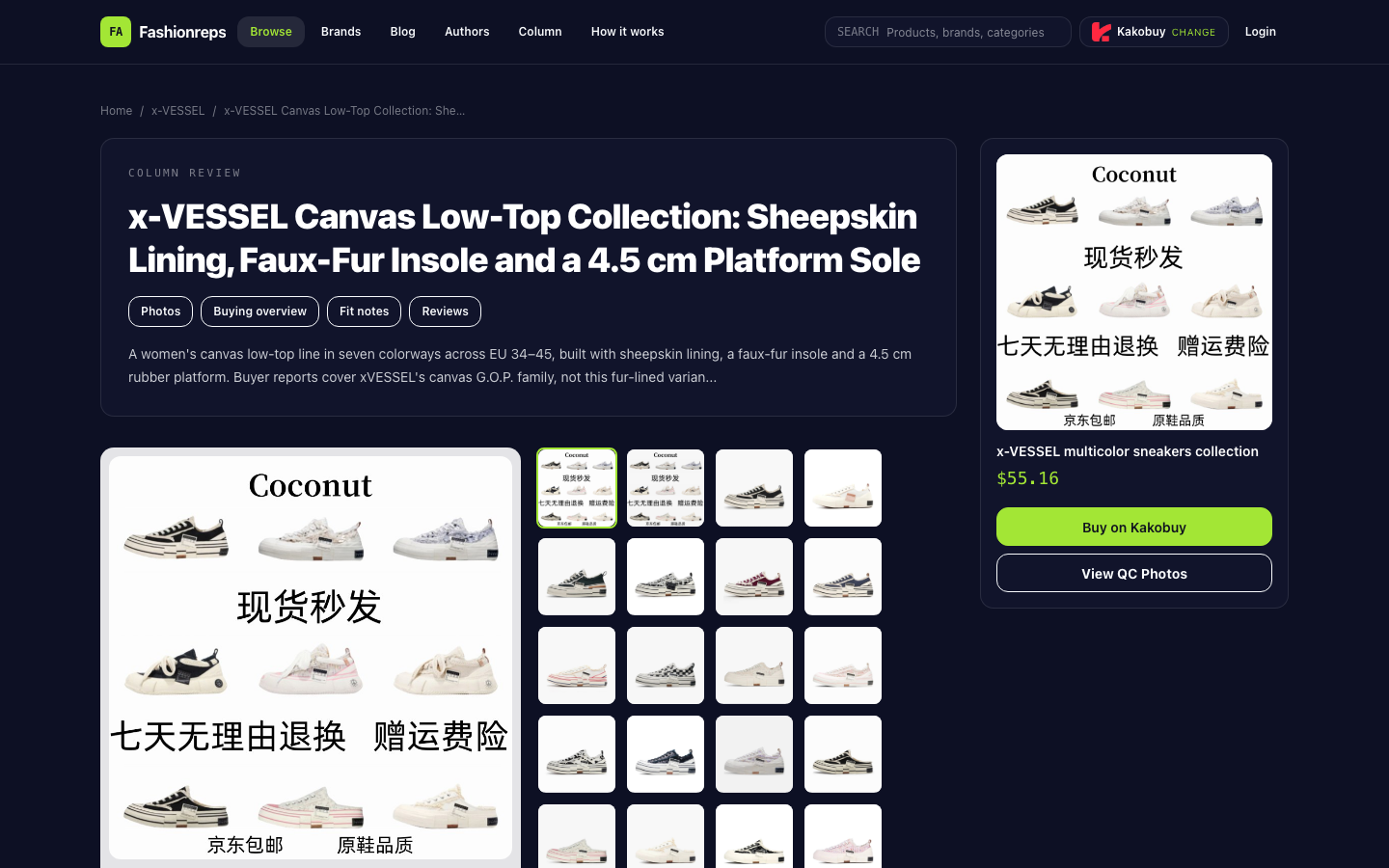
The xvessel catalog page on fashion-reps provides brand browsing, on-site search, and product detail page entry points; the example page displays a collection of low-top shoes, listing multiple colors, size ranges, and different closure types. The product detail page also provides a QC Photos entry. However, visible page content cannot automatically prove stock, price, material, or authenticity, so these fields cannot be filled in as definitive conclusions without corresponding evidence.

Step 1: First Save What the Page Can Prove at That Time
After entering the candidate detail page from the catalog, first record the page title, style description, color, size, detail page link, and collection time. Do not rewrite the page summary into a purchase conclusion, nor combine text from different entry points into an unverified product name.
It is recommended to keep at least these fields:
- Product group ID: Used to group different colors or sizes of the same item.
- Page title: Save according to the visible detail page title, add a brief note if necessary.
- Style description: Record differences such as low-top, slip-on, zipper, Velcro, etc., as actually shown on the page.
- Color: Save according to the color name shown on the page, do not merge similar color names on your own.
- Size: Record the size range or specific options shown on the page.
- Detail page link: One record corresponds to one reviewable detail page address.
- Page time: Fill in the time of viewing or screenshot.
- Evidence note: Explain whether the evidence comes from the title, options, images, or QC Photos entry.
- Current status: Only use three statuses: "Duplicate of same item," "Variant confirmed," "Needs evidence."
If the page only shows a product collection without independent evidence for each variant, keep the collection page link first, and put specific colors or sizes into "Needs evidence," and do not infer the complete variant list from thumbnails.
Step 2: Use Uniform Rules to Determine Duplicates
When determining duplicates, first compare the detail page links, then compare style and variant information. The same title does not necessarily mean the same page, and different titles do not necessarily mean different products.
You can check in the following order:
- Are the detail page links exactly the same?
- Are the product main title and core style description consistent?
- Are the colors shown on the page just different options of the same product?
- Is the size just another specification of the same product?
- Are there new closure types, sole structures, or other style differences explicitly written on the page?
- Is there new detail page, independent images, or QC Photos evidence to support that it is another item?
If it is only a color or size change, it should remain under the same product group and should not create duplicate product groups. If the style description changes but the page does not have enough evidence to confirm it is an independent product, temporarily mark it as "Needs evidence."
Step 3: Manage Three Statuses Separately in Google Sheets
Google Sheets is suitable for filtering, sorting, annotating, and collaboration; fashion-reps pages are suitable for discovering candidates, viewing catalog hierarchy, opening detail pages, and returning to images or QC Photos entries. Do not replace one with the other: the spreadsheet is the evidence ledger, and the website is the source page that needs repeated verification.
| Status | Entry Condition | Next Step | What Not to Do |
|---|---|---|---|
| Duplicate of same item | Links are the same, or confirmed as just color or size variations under the same page | Merge product groups, keep variant information and original records | Delete all duplicate rows without leaving source traces |
| Variant confirmed | The page clearly shows the color, size, or style option, and can return to the corresponding detail page | Record confirmation time and evidence location | Add attributes not shown on the page |
| Needs evidence | Only thumbnails, vague titles, or cannot determine if it is the same item | Keep for verification, add screenshots or reopen the page | Treat speculation as confirmed variant |
To avoid duplicate records, you can use "product group ID + color + size" as a manual review key, but do not rely solely on formulas for automatic merging. Automatic rules cannot determine whether two similar titles really belong to the same item, nor confirm whether differences in page images represent independent variants.
Step 4: Keep Traceable Evidence for Each Record
Screenshots should not only capture the product image, but also include the page title, variant options, or link area. Screenshot file names can include product group ID, color, size, and date, and in the spreadsheet, save the screenshot location or description.
For QC Photos provided by the page, record it as "page has QC Photos entry" or "viewed corresponding images." Unless the images clearly support a specific judgment, do not write it as quality assurance, physical verification, or personal testing conclusion. The current source page also indicates that final product price, service fee, and international shipping need to be confirmed on the shopping agent website, so the reference price on the catalog page cannot be directly considered the final cost.
Step 5: Set Conditions to Stop Inclusion
When the following situations occur, stop putting records into "Variant confirmed" first:
- The detail page cannot be opened, or the link is invalid.
- The page only has blurry thumbnails, and color, size, or style information cannot be read.
- The same group of records has conflicting titles or variant descriptions.
- The current page attributes can only be inferred from brand or other product information.
- You want to record inventory, shipping, final price, material, or authenticity, but the current page has no corresponding evidence.
Such records can remain in "Needs evidence," but should not be passed downstream as confirmed candidates. When the page becomes re-verifiable, or after obtaining the corresponding source, update the status and record the reason for the change.
A Repeatable Review Process
Each time you add a new candidate, first enter the detail page from fashion-reps' brand catalog or search entry, save the page time and link; then search the existing product group IDs, links, titles, and variant combinations in Google Sheets. When the same link is found, merge into the original product group; when new colors or sizes are found, add a variant row; when unable to determine, mark as "Needs evidence."
After completing a round of organization, filter only the "Needs evidence" and recently changed records to reopen the pages. This way, you can use the website's image and link browsing capabilities to discover evidence, and use the spreadsheet's filtering and collaboration capabilities to focus on duplicates, without mixing unverified speculation into the candidate catalog.