cp size option missing at checkout? Check variants first
Just because the product page still shows a size doesn't mean your draft order or payment page has kept that same variant. If a size disappears when you're about to check out, pause before paying and check the product page, cart, draft order, and payment page step by step to make sure the color, size, and product link still match up. Then decide whether to keep going. 
Editor score 4.2 / 5
Reading contents
Just because the product page still shows a size doesn't mean your draft order or payment page has kept that same variant. If a size disappears when you're about to check out, pause before paying and check the product page, cart, draft order, and payment page step by step to make sure the color, size, and product link still match up. Then decide whether to keep going.
Record the current page state first
Before refreshing or reselecting, save the following:
- The original product link.
- The color and size shown on the product page.
- The summary info for that item in your cart.
- The current page time and where the size disappeared.
- If the page allows screenshots, save separate ones for the product page, cart, draft order, and payment page.
These records help you tell the difference between "the product page still shows a size" and "the order flow actually keeps that size," and they prevent you from losing the original state after making changes.
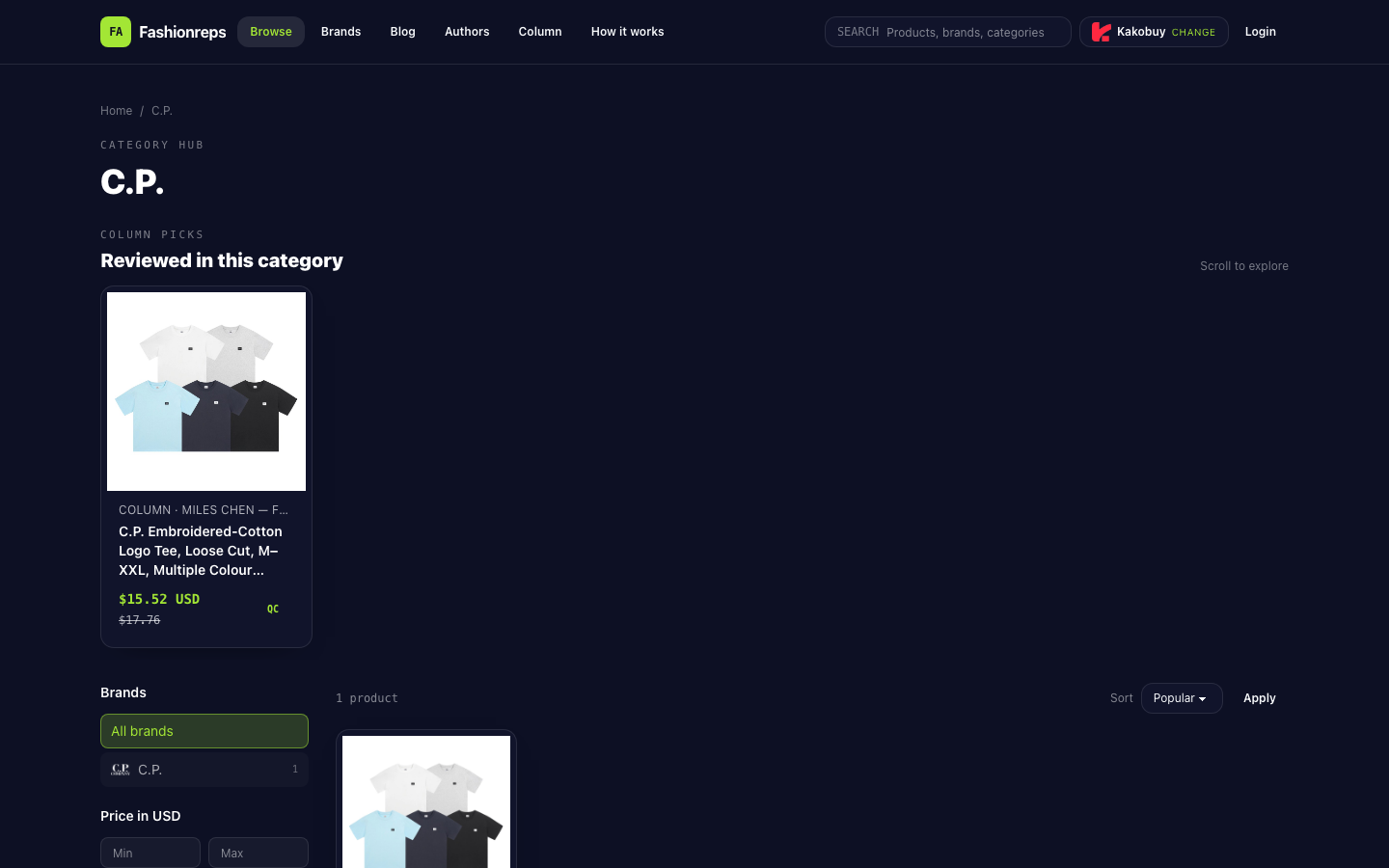
The current verifiable C.P. category page shows an embroidered cotton logo T-shirt, labeled as a relaxed fit, M–XXL, with multiple color groups. It also shows a reference price of $15.52 and a previous reference price of $17.76. This only proves what's displayed on the category page, not that a specific color and size are still available for your order, or that the variant will be kept at checkout.
Check through four layers step by step
1. Product page options
Reopen the original product link and confirm whether your current selection still includes:
- The same color group.
- The same size.
- The same product link or product identifier.
- Whether the page changed the available options after reloading.
If the product page only shows a size range but doesn't clearly show the color and size combination you selected, don't treat the size range as proof that the combination is still in stock.
2. Cart summary
Go to your cart and check if the summary still lists the color and size. Watch for these situations:
- The cart only shows the product name, without a size.
- The color has changed, but the size is still from your old selection.
- The quantity or product line was merged again, so you can't confirm the variant.
- After returning to the product page, the cart options didn't update.
Don't proceed to payment unless the cart clearly shows the correct size.
3. Draft order
If the platform creates a draft order before payment, open the draft details and check the variant fields in the product line. They should at least match the color and size you recorded.
If the product page and cart show a size, but the draft order doesn't, or the draft shows a different size than what you selected, treat it as out of sync—don't assume the platform will automatically fix it later.
4. Payment page
On the payment page, check the order summary again. Don't just look at the total price, product image, or product name, because those might stay the same even if the variant is wrong.
If the payment page is missing the size field, shows a different size, or won't let you open the order details to confirm the size, exit the payment flow and save evidence. Don't test by clicking pay multiple times.
Possible causes and limits of what you can tell
A size disappearing from the flow could be related to variant switching, inventory status refreshes, cart caching, or field syncing between pages. But based on what you see on the page alone, you can't tell the exact cause, and you can't conclude that the target site has a system failure.
What you can confirm are the facts: what the page currently shows, what the cart or draft order saved, and whether the payment page still shows that size. As for whether inventory is locked, whether the order will be processed with that size, and whether you can change it after submitting, the current shopping or payment platform needs to confirm that.
Safe steps before rebuilding the order
If the size in the draft order is wrong, follow this order:
- Save screenshots of the product page, cart, and draft order.
- Close the draft order with the unconfirmed variant—don't continue to payment.
- Reopen the original product link.
- Reselect the color and size, and confirm the page shows the full combination.
- Add the product to the cart again.
- Check the cart and draft order step by step to see if the size is kept.
- Only consider paying if the payment page still shows the correct size.
If the size still won't stick after rebuilding, don't create multiple identical orders. Repeated submissions can create multiple pending records and make it harder to check and cancel later.
How to get help when you can't confirm
If the platform offers an official support channel for the current shopping or payment process, submit the following:
- The original product link.
- The color and size shown on the product page.
- The conflicting field in the cart, draft order, or payment page.
- Screenshots and the time each screenshot was taken.
- The question you want the platform to confirm: whether the order keeps the specified size, and what variant will actually be processed after payment.
When describing the issue, write directly: "The product page shows size X, but the draft order or payment page doesn't show it or shows a different size." Don't just say "there's a size problem." If you can't prove the platform recorded the correct size, wait for official confirmation instead of using the payment result to figure out what was ordered.
Clear conditions to stop payment
Stop payment if any of the following happens:
- The payment page has no size field, and you can't expand the order details.
- The draft order shows a size different from the product page selection.
- The product line in the cart doesn't match the original product link.
- The color or size keeps changing after repeated refreshes.
- Platform support hasn't confirmed the variant the order will actually keep.
Only when the product link, color, size, and draft order all match up, and the payment page still shows the same combination, do you have a basis to continue. The fact that the page still shows a size isn't enough to prove the order will be processed with that size after payment.